The New Spoonflower Shop Templates Are Here: How to Update Yours
*updated to include a rescaling tool to perfectly scale your profile and banner. You can find this at the bottom of the blog.
Last week I gave you a heads up that Spoonflower was changing the artist shop template. Well, it is happening. The new templates are now live in our accounts, and if you sell on Spoonflower you should have an email from them in your inbox. I will link to it below so you can read the official version too.
I have already been through and updated mine, and honestly, it was nice and easy. So let me walk you through it, because it is far less of a job than it might sound.
How long do you have?
Thirty days. The template is available now, and the deadline to update your shop is 5 November 2026. There is no mad rush to do it this second (more on that below), but it does need to be done before that date. If a shop is not updated by then, Spoonflower will delist it, which means the account still exists but can no longer sell, and all designs are switched to private. Getting back after that means re-applying as an artist, so it is worth a quick spot in your calendar.
What to have ready
Only a couple of things, and it is handy to have them sorted before you start so you can do it in one sitting: a profile picture at 500 by 500 pixels, a banner at 1600 by 500 pixels, and a few lines about how you create your designs, what inspires you, that kind of thing. Get those three ready first and the rest is quick.
How to update your shop, step by step
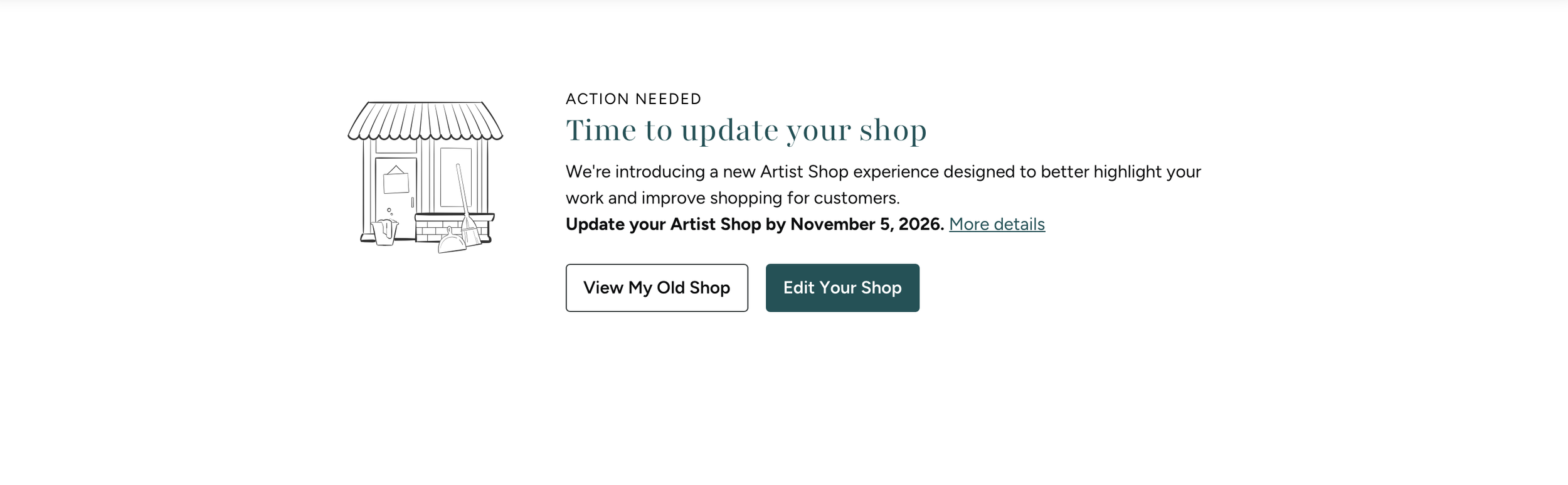
Screenshot of the banner on my store when logging in before updating
Log into your account on the Spoonflower site.
Click your profile icon, then choose View My Shop or the above image may pop up straight away.
Work through the new required fields, adding your profile picture, banner and your information. You can save it as a draft as you go if you get interrupted.
When you are done, click Finish Shop Setup to submit. A confirmation message pops up to let you know it has worked.
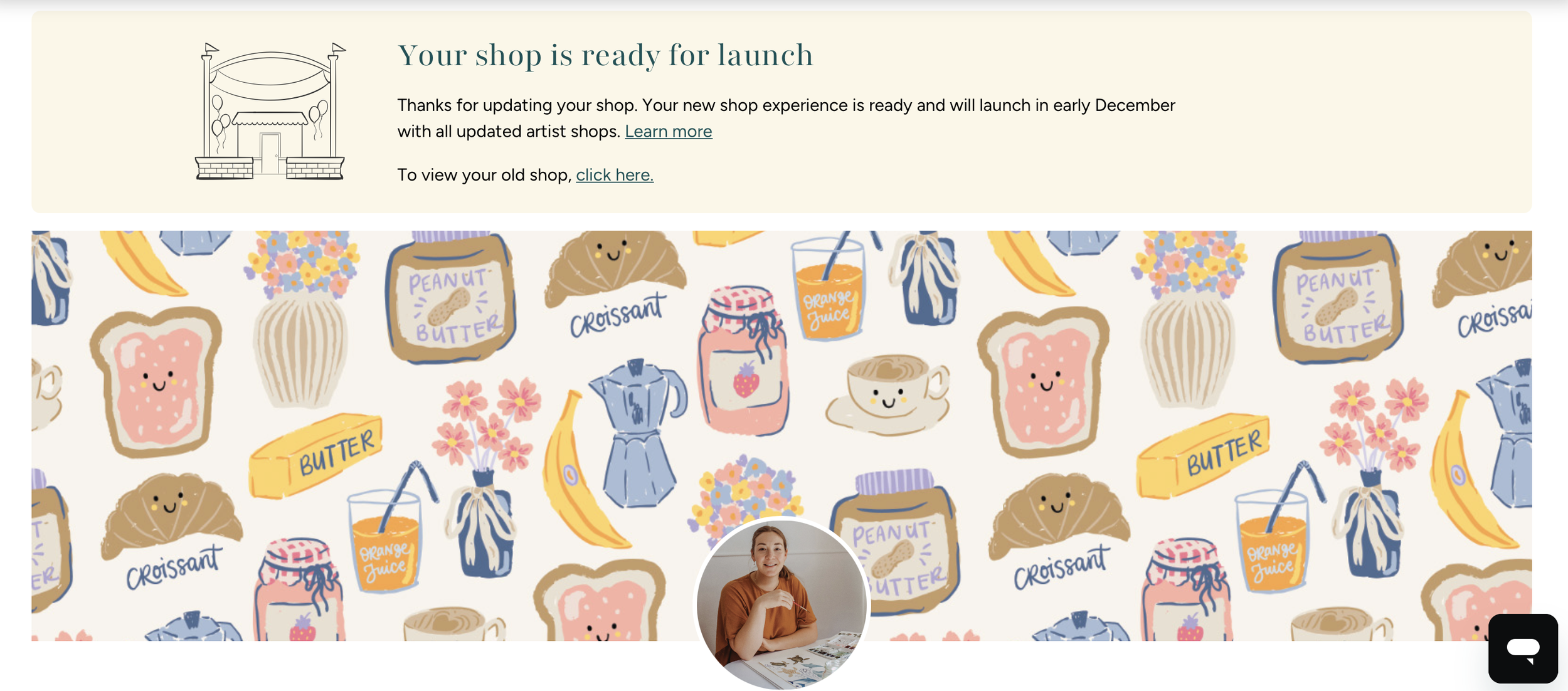
Screenshot of my store after saving the new update - see the confirmation up the top.
For me, the whole thing took less than ten minutes. You can do it in one go, like I did, or chip away at it with the draft save. Either way, it is quick.
When will shoppers actually see your new shop?
Here is the part that might catch you out. Once you submit, it updates on your end, but your public shop will not change straight away. Spoonflower is planning to release everyone's new shops all at once in early December. So if you finish and your live shop looks exactly the same for now, do not panic. That is completely normal, and expected.
So what is the new shop actually like?
I will be honest, I am pretty happy with it. Spoonflower has not changed the shop setup in years, so it was feeling a wee bit dated, and this is a nice refresh. A few things I noticed: it is easier to view and navigate, with a nice big banner and profile at the top; shoppers can sort more clearly, by best selling or best matched; they can filter to show only your award winners; your colourways display really nicely; and in the wallpaper section you can flick between the square design view and seeing it made up as wallpaper. Fabric is just the square view for now, so I wonder if more views are coming. It feels like a nicer experience for the people shopping our designs, and if it helps them find and buy more easily, that should be good news for our sales too.
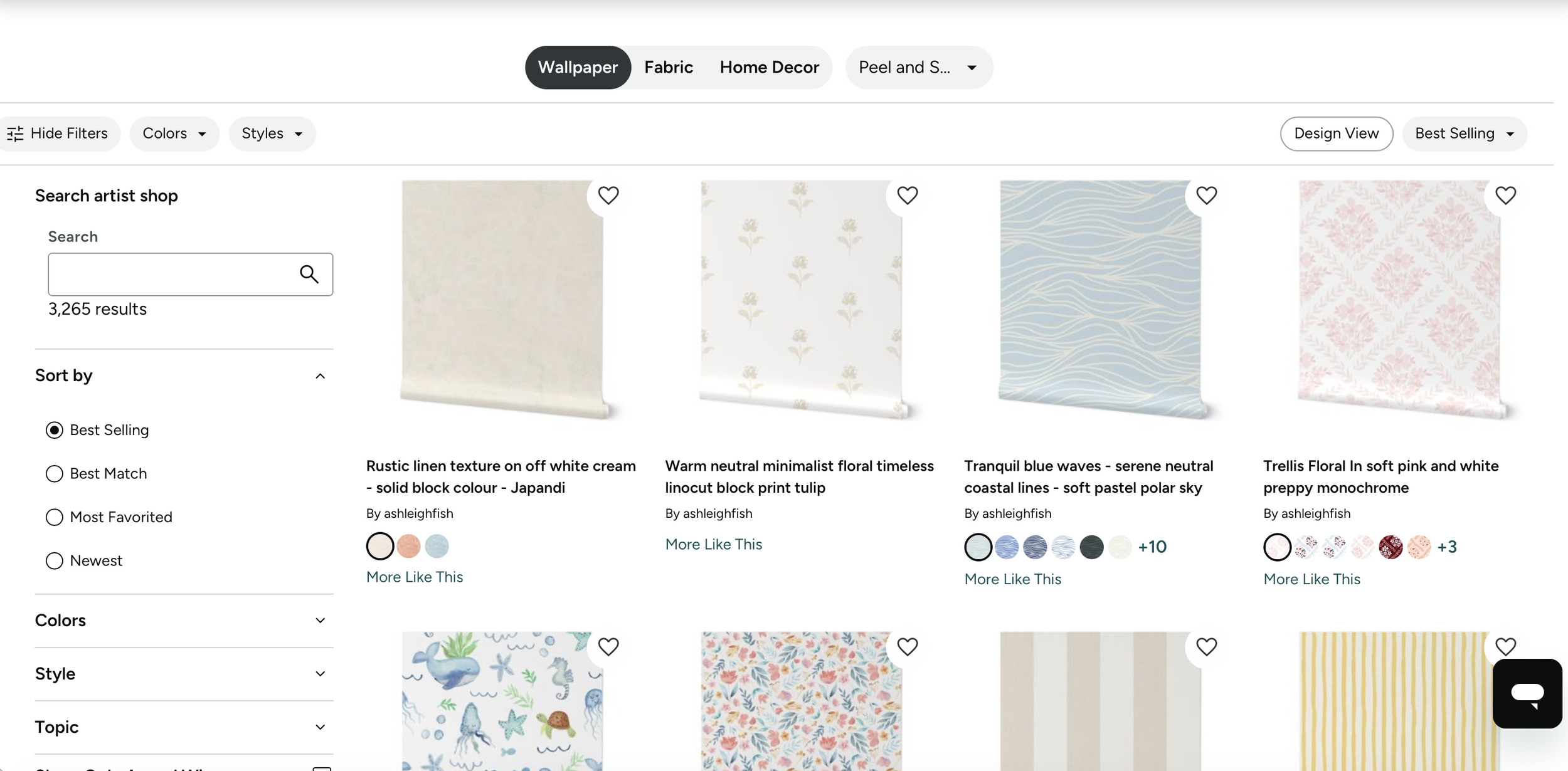
The new wallpaper view - you can press design view to toggle to see the design as a square instead.
Do you need to do it right this second?
No. When the email landed and I went to log in, the whole site was down, I think a whole heap of us jumped on at once. So there is no need to rush. You have until 5 November, so pick a quiet ten minutes this week or next. Just do not leave it so late that it slips your mind, because the deadline is the one part that really matters.
Where to start
Get your profile picture (500 by 500) and banner (1600 by 500) ready, jot down a few lines about your work and what inspires you, then log in and work through the new profile. Ten minutes and you are sorted. You can read Spoonflower's official email here for their version of the details: SPOONFLOWER HELP ARTICLE LINK.
That is it. A quick bit of admin, a fresh new shop, and nothing to stress about. You have got this.
P.S. While you are in your account, Spoonflower has also reminded everyone that they now need an updated tax form each year. If you have not submitted one since 1 July 2026, upload a new one before the end of 2026.
Spoonflower Profile & Banner Resizer
Drop in your photo, slide it into place and download. Sized to Spoonflower's new templates and kept under 500 KB, ready to upload. No Photoshop. No faff.