How to Set Up Your Pinterest Profile as an Artist
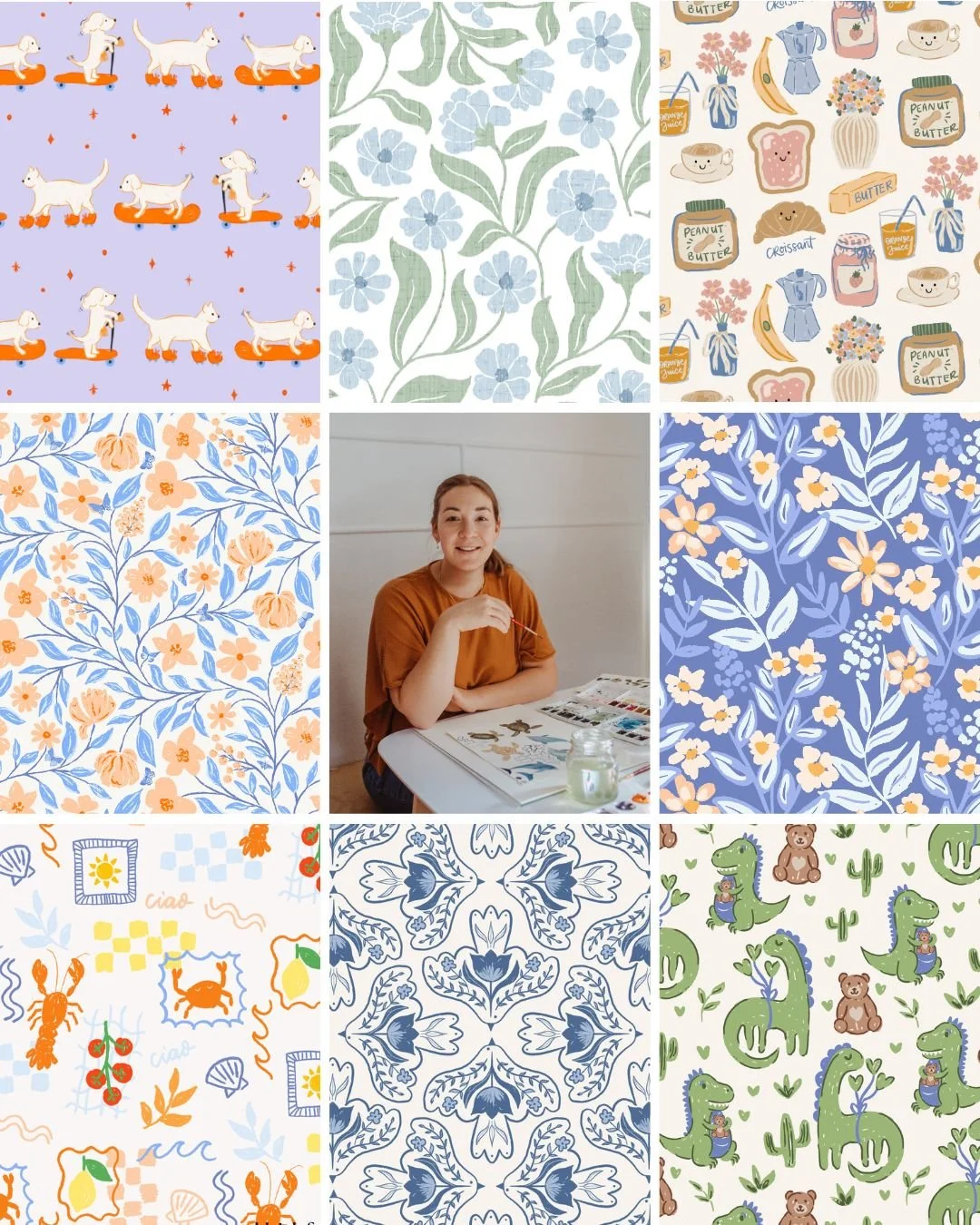
I get licensing enquiries through Pinterest. Not occasionally. regularly. Brands find my work through search, click through to my profile, and reach out. I didn't always know that was possible, but once I understood how Pinterest actually worked, I set my profile up to make it happen.
That's what I want to share with you here.
Most surface pattern designers use Pinterest the way I used to: saving inspiration, organising ideas, occasionally posting their own work. What they don't realise is that their profile is publicly searchable, and that brands and art directors do use it to find designers. Not always deliberately. Sometimes they land on a pin, click through to the profile, and make a decision in about ten seconds about whether to keep looking.
If your profile doesn't tell them clearly who you are, what you make, and that you're open to working with brands, they move on.
This post walks you through exactly what to include so your Pinterest profile works as a professional discovery tool, not just a personal mood board.
What is a Pinterest profile for artists actually for?
A Pinterest profile for artists functions as both a public portfolio and a search-indexed storefront. When it includes the right keywords and context, it helps brands and art directors find you, without you having to pitch them first.
Most creatives think about Pinterest the way they think about Instagram: a place to share work and see what other people are making. But Pinterest is a search engine first. Every word on your profile, your name, your bio, your board titles, is indexed and used by Pinterest to match your content to the people searching for it.
That changes how you think about every field on your profile.
A brand's art director searching "watercolour surface pattern designer" is not scrolling their feed. They are typing a query and looking at results. Your profile either shows up, or it doesn't.
What should your Pinterest display name include?
Your Pinterest display name should include your name and a keyword that describes what you make, for example, "Ashleigh Fish | Surface Pattern Designer, Illustrator & Educator."
My own display name does this deliberately. It's not just my name. It tells Pinterest (and anyone who lands on my profile) the category of work I do. That matters because Pinterest uses your display name as one of its primary signals when deciding what searches to show you in.
Think about what someone would actually type to find a designer like you. "Watercolour surface pattern designer." "Botanical illustrator for licensing." "Textile pattern designer." Whatever that phrase is, it belongs in your display name alongside your name.
If your display name currently just says your first name, or your business name with no context, this is the first thing to fix.
How do you write a Pinterest bio that gets you found?
A strong Pinterest bio for artists includes what you make, who it's for, and a direction for what to do next, all in under 160 characters.
My bio reads: "Surface pattern designer and educator specializing in painted and hand drawn art illustrations for interior wallpaper, textiles, kids fabric, and unique products. I help brands discover standout designs and teach aspiring artists how to create professional portfolios and confidently pitch their work for art licensing success."
There's a lot working in that bio. It names the specific markets I design for (wallpaper, textiles, kids fabric). It signals two different audiences: brands who might want to license my work, and designers who want to learn. And it uses natural language that mirrors what people actually search for.
Your bio should do three things:
Name what you make, using the words people search for (not abstract descriptions of your style)
Signal that you work with brands or are available for licensing
Give people a reason to follow or click through
You don't need to fit all of this in one sentence. Write it the way you'd describe yourself to someone at an industry event who asked what you do.
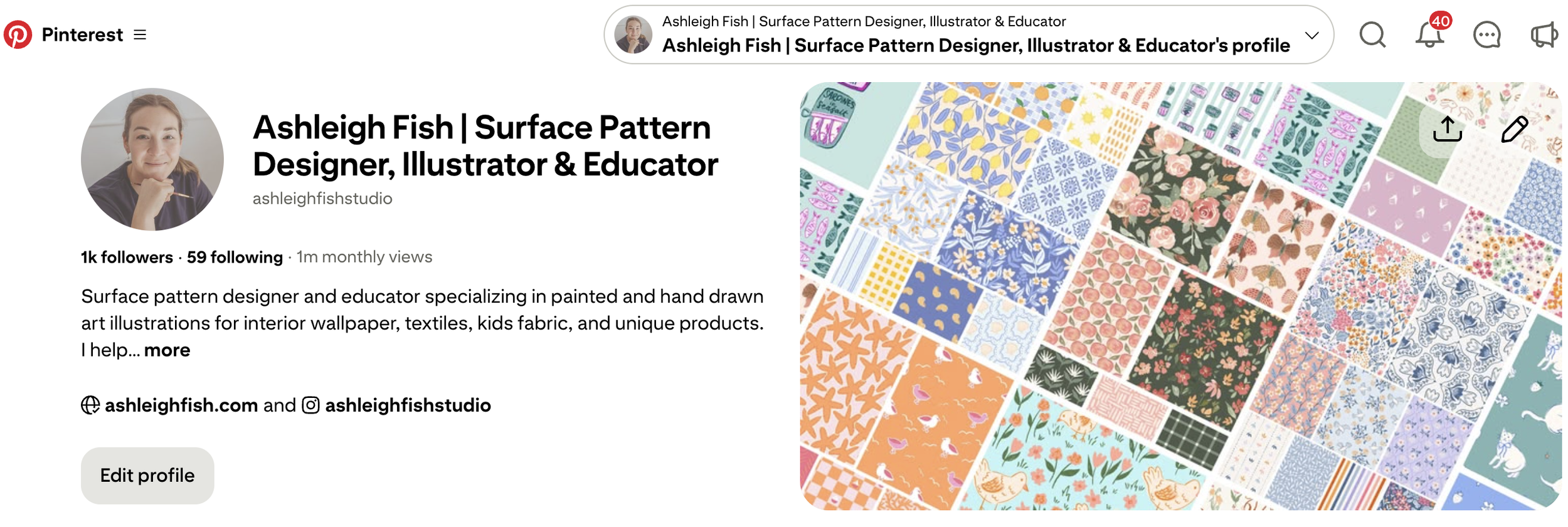
"If you want to see what this looks like in practice, here's mine: Ashleigh Fish’s Pinterest
Feel free to follow along, I pin regularly and it's a good place to see the strategy in action.
Should you use a personal or business Pinterest account?
A business Pinterest account gives you access to analytics and the ability to claim your website, both important if you're using Pinterest to attract licensing opportunities.
Business accounts are free to set up and free to keep. The difference is what you can see and do. With a business account, you get access to Pinterest analytics, which shows you which pins are getting impressions, which boards are growing, and where your traffic is coming from. That information is what lets you make better decisions about what to post.
You can also claim your website with a business account. When your website is claimed, your profile photo appears on every pin that's saved from your site. It's a small thing, but it adds a layer of credibility and consistency when someone is seeing your work for the first time.
If you're currently on a personal account, switching is worth doing before you invest any more time in your content strategy.
What profile photo works best on Pinterest?
Use a clear headshot or professional photo of yourself, not your logo, not your artwork. People connect with faces faster than they connect with brands, especially in a field as personal as surface pattern design.
I know it can feel more polished to use your logo or a flat lay of your work. But when someone lands on your profile and is deciding whether to follow you or explore further, a face builds trust faster than a graphic.
It doesn't have to be a formal photoshoot. A clean, well-lit photo where you can see your face clearly is enough. Keep it consistent with how you present yourself on Instagram, people who find you through Pinterest and then look you up elsewhere should recognise you immediately.
What link should you include on your Pinterest profile?
Link to wherever a brand or art director would land and immediately see your licensing work, usually your portfolio page or your website homepage.
Your profile link is the only clickable URL Pinterest gives you. It needs to be doing something useful. If someone finds your work, loves it, and clicks through, you want them to land somewhere that confirms you're a professional, shows your best designs, and makes it obvious you're available for licensing.
If you have a dedicated portfolio page, link there directly. If your homepage leads clearly to your portfolio within one click, that works too.
One thing I notice with designers who are new to licensing: they sometimes link to their Etsy shop or their Instagram because that's where they're most active. Those platforms are great, but they're not where a brand wants to do their research. A clean portfolio website tells the story of your work in a way that a shop or social profile can't.
(If building a licensing-ready portfolio is something you're still working on, that's a separate conversation, but it's an important one.)
What boards should appear at the top of your Pinterest profile?
Pin your most strategic boards to the top, your own work first, followed by curated boards that reflect your design aesthetic. Art directors scan profiles from the top, so board order matters.
Most people let their boards sit in whatever order they were created. Moving them around takes two minutes and makes a significant difference to how your profile reads.
Your first board should be your own work. Name it something clear and searchable "Cottagecore seamless patterns" or "Watercolour designs by [Your Name]" — not "My Stuff" or "Designs." After that, lead with your most beautifully curated boards: the ones that show your taste, your colour sensibility, your design influences.
Boards get their own dedicated post next week, so I'll go deeper there. But for now: look at your profile as if you're seeing it for the first time, and ask yourself whether the board order tells the right story.
Putting it together: what a well-set-up profile actually signals
There's a version of a Pinterest profile that says: this person is a creative who saves things they like.
And there's a version that says: this is a working designer who knows their market, has a clear body of work, and is open to brand partnerships.
The difference between those two profiles is not talent. It's not the quality of the designs. It's how the information is organised and what it communicates to someone who doesn't know you yet.
When I look at a profile that has a keyword-rich display name, a bio that mentions licensing, a claimed website linking to a real portfolio, and a board order that leads with original work, I know that designer understands how this works. That's the impression you want an art director to have too.
Where to go from here
If you've read through this and realised your profile needs some work, start with the display name and bio. Those two things are indexed by Pinterest search and they're the easiest to change today.
If you want a step-by-step walkthrough of how to set up your full Pinterest presence to attract licensing enquiries, including pin strategy, board strategy, and keyword research, my Pinterest workshop covers all of it. You can find it at ashleighfish.com/pinterest-workshop.
Next week I'm going into boards in detail: how to name them, organise them, and use them to signal your aesthetic to the brands you actually want to work with.
Frequently asked questions
Can brands really find me through my Pinterest profile? Yes. Art directors and brands do search Pinterest for designers, particularly for categories like surface pattern design, illustration, and textile design. Your profile, board titles, and pin descriptions are all indexed by Pinterest search — meaning a brand searching for "watercolour surface pattern designer" can find your profile without you ever pitching them.
Do I need a lot of followers for Pinterest to work for art licensing? No. Pinterest is a search engine, not a social platform, so follower count matters far less than it does on Instagram. What matters is whether your content is discoverable — meaning your profile, board titles, and pin descriptions include the words people are actually searching for. A well-optimised profile with 500 followers can outperform a passive one with 10,000.
What's the difference between a personal and business Pinterest account? A business account is free and gives you access to Pinterest analytics, the ability to claim your website, and additional tools for understanding how your content performs. A personal account gives you none of that. If you're using Pinterest to grow your design business, a business account is worth switching to.